Gamers often find themselves needing a fresh start or a new identity online, and for millions of Roblox players, understanding how to change their Roblox account name or manage their profiles is a common quest. Whether you are a parent looking to update a childs old username for safety, a seasoned player returning after a break, or simply seeking a cooler handle, navigating Roblox account changes can feel a bit complex. This comprehensive guide is designed for the modern US gamer, those who expertly juggle careers, family life, and dedicated gaming sessions. We know your time is valuable. You want direct, no-nonsense solutions to optimize your gaming experience without wasting precious hours. We will dive into the most effective methods for updating your Roblox identity, exploring what is possible and what is not, and offering practical steps to ensure a smooth transition. From understanding Robux costs for username changes to securing your account after an update, this resource covers everything busy gamers need to know to refresh their Roblox presence efficiently and without fuss. Get ready to personalize your Roblox world with confidence and ease.
How do I change my Roblox display name for free?
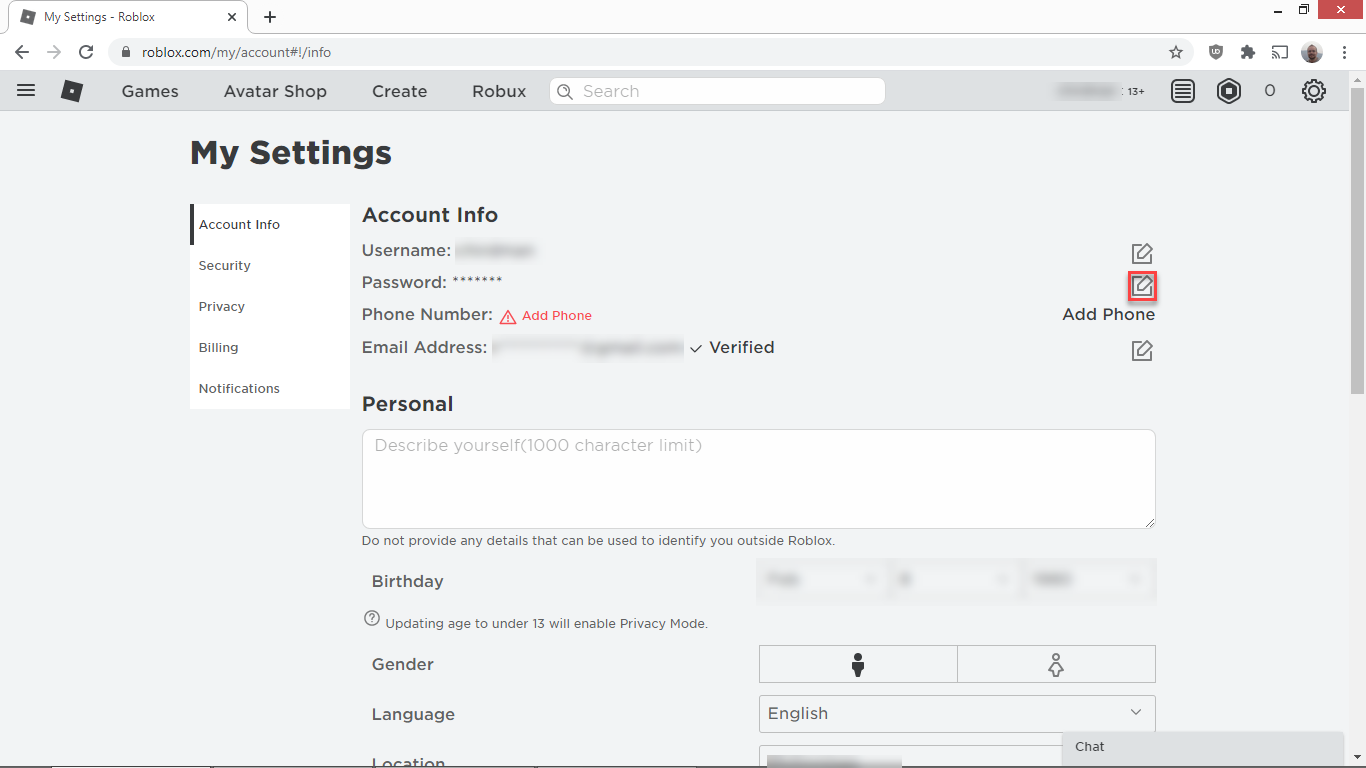
To change your Roblox display name for free, simply log into your Roblox account on any device. Navigate to your 'Settings' by clicking the gear icon, then go to 'Account Info'. You'll see your current display name, and usually a pencil icon next to it. Click that icon, type in your desired new display name, and save. Remember, you can change your display name once every seven days, and it doesn't cost Robux or affect your login username. This is perfect for quick cosmetic changes without commitment.
Can I change my Roblox username without Robux?
No, you cannot change your actual Roblox username without spending Robux. A username change costs 1,000 Robux, which is approximately $10-12 USD. This fee is in place because your username is a unique, permanent identifier for your account. If you're looking for a free way to change how you appear publicly, consider changing your display name instead, which is free and can be updated weekly.
What is the process for updating my Roblox account email address?
Updating your Roblox account email address is a crucial security step. Log into Roblox and click the gear icon for 'Settings', then 'Account Info'. Find your current email address and click 'Verify' or 'Change Email'. Enter your new email, and Roblox will send a verification link to it. Click this link in your new email inbox to finalize the change. Always ensure your email is verified for account recovery and security alerts.
Where do I find my Roblox account settings?
You can find your Roblox account settings by logging into your account on the website or through the mobile app. On the website, click the gear icon located in the top-right corner of the screen. On mobile, tap the three dots (...) icon at the bottom-right to open the menu, then scroll down and select 'Settings'. This section provides access to all your account information, security settings, privacy controls, and billing details.
Is it possible to merge two Roblox accounts together?
No, Roblox does not provide any official feature or mechanism to merge two separate Roblox accounts. Each account is considered distinct, with its own username, Robux, items, and game progress. If you have multiple accounts, they must be managed individually. Players often choose to focus on one primary account, or if they desire a complete fresh start, they create a new account rather than attempting to combine existing ones.
What happens to my old username after I change it on Roblox?
When you change your Roblox username, your old username becomes unavailable for anyone else to claim for a period of time, typically a few months. After this "cooldown" period, Roblox may release the old username back into the pool of available names, allowing other players to potentially claim it. However, your account will always be internally linked to its original creation details, even if the public-facing name changes.
Can I log into Roblox using my display name?
No, you cannot log into Roblox using your display name. Your display name is a public alias and not a unique identifier for login purposes. You must always use your actual, unique username (the one you paid Robux to change, if applicable) or the email/phone number associated with your account to log in. Your display name is purely for in-game and profile presentation.
For many US gamers, Roblox isn't just a platform; it's a vibrant, ever-expanding universe where creativity and connection thrive. Whether you are building epic simulations, competing in intense obbys, or simply hanging out with friends, your Roblox identity matters. But what happens when that identity, specifically your username, no longer fits? Perhaps it's an old tag from your younger days, or maybe you're a busy professional who games to unwind and wants a more streamlined, mature presence online. We understand the challenge: you juggle work, family, and life, and your gaming time is precious. You don't want to spend hours figuring out how to update your digital persona, you want direct, effective solutions.
You're not alone in seeking a refresh. With over 87% of US gamers regularly engaging with their favorite titles and dedicating an average of 10+ hours a week, maintaining a relevant online presence is key to enjoying your limited gaming window. This guide cuts through the confusion, offering clear, actionable steps on how to change your Roblox account details. We'll cover everything from the immediate impact of a username change to safeguarding your account, ensuring your Roblox journey remains as enjoyable and effortless as possible. No hype, just practical advice to help you optimize your experience and get back to what you love doing most: playing.
How Can I Change My Roblox Account Username?
Changing your Roblox account username is a straightforward process, though it does come with specific requirements and a cost. Unlike changing a display name, which is free and can be done frequently, updating your actual username is a more permanent decision that requires Robux. Many adult gamers, those balancing careers and family, find themselves needing to update an outdated or less professional username. It’s about creating an identity that reflects who you are now, even in your relaxation time. The key is to navigate to your account settings, locate the 'Account Info' section, and then find the 'Change Username' option. This isn't just a cosmetic tweak; it's a fundamental shift in how you appear across the entire Roblox platform.
To initiate the username change, first log into your Roblox account via a web browser, as this feature is not typically available through the mobile app directly. Once logged in, click on the gear icon in the top right corner to access your 'Settings'. Within 'Settings', select 'Account Info'. You'll see your current username listed there, and right next to it, an option that says 'Change Username'. Be prepared, as this action will prompt a payment of 1,000 Robux. Before committing, consider your new username carefully, as Roblox prevents reusing old usernames and charges for each change. This process helps maintain unique player identities, crucial in a social gaming environment that sees millions of active users daily, especially with the rise of cross-play and community engagement on platforms like Discord.
What's the Difference Between a Roblox Username and Display Name?
Understanding the distinction between your Roblox username and your display name is crucial for effective account management, especially for gamers who value both privacy and personal expression. Your username is your unique, unchangeable identifier on the Roblox platform once set, except through the paid name change service. It's what you use to log in and how Roblox internally identifies your account. It must be unique globally and cannot be changed for free. Think of it as your permanent digital ID card. Many busy adults might prefer to keep their original username for login consistency but desire a more current or anonymous public-facing name.
In contrast, your display name is a public-facing alias that appears above your avatar in games, on your profile, and in chat. This feature was introduced to give players more flexibility and anonymity without incurring costs. You can change your display name once every seven days for free. It doesn't affect your login credentials and doesn't need to be unique across the platform. This means multiple players can have the same display name, offering a great way to showcase a current gaming clan tag, a seasonal alias, or simply a name you feel better represents you in the moment, without the commitment or cost of a full username change. This flexibility is a huge win for gamers who like to switch things up without impacting their core account structure.
How Much Does it Cost to Change My Roblox Username?
Changing your primary Roblox username comes with a fixed cost: 1,000 Robux. This is a non-negotiable fee that Roblox charges to facilitate the change, reflecting the unique and permanent nature of a username on the platform. For many adult gamers, especially those on a budget or who carefully manage their in-game spending, this cost is a significant consideration. It emphasizes the importance of choosing a new username wisely, as each subsequent change will incur the same expense. This policy helps maintain the integrity of user identities and discourages frivolous changes, ensuring that usernames remain relatively stable within the vast Roblox community.
To put this into perspective, 1,000 Robux typically costs around $10-$12 USD, depending on the Robux pack you purchase. This investment highlights why many players opt to use the free display name change feature for quick cosmetic updates, reserving the username change for truly impactful reasons. Before proceeding, ensure you have sufficient Robux in your account. If not, you'll need to purchase Robux first. Roblox does not offer refunds for username changes, so double-check your desired new username for typos and ensure it meets Roblox's community standards before finalizing your decision. Making informed choices like this allows gamers to stay current with their online identity without breaking the bank or regretting a hasty decision.
Can I Change My Roblox Account Email or Password?
Absolutely, changing your Roblox account email or password is not only possible but also a critical aspect of maintaining your account's security and accessibility. These actions are far simpler and more frequent than changing your username, reflecting their importance in safeguarding your digital assets. For the average gamer who balances online security with real-world responsibilities, regularly updating these credentials, especially after a significant period of inactivity or if you suspect unauthorized access, is a recommended best practice. This proactive approach helps prevent potential issues and ensures your gaming experience remains uninterrupted and safe.
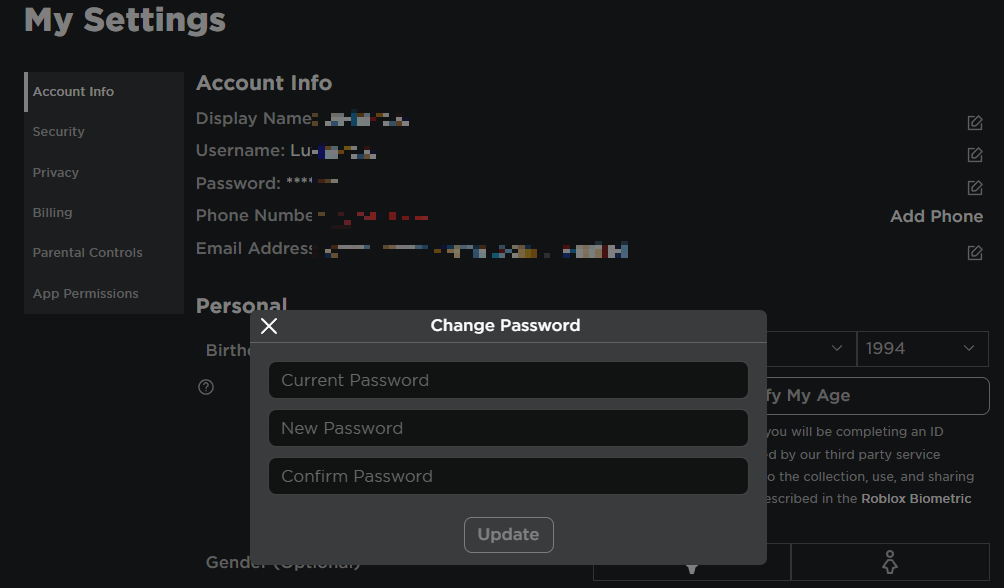
To change your email address, log into your Roblox account and navigate to 'Settings' by clicking the gear icon. Under 'Account Info', you'll find your current email address. Click the 'Verify' or 'Change Email' option, depending on whether your email is already verified. You'll be prompted to enter your new email address, and then Roblox will send a verification link to that new address. Click the link to complete the change. For password updates, also in 'Settings' under 'Account Info', look for the 'Change Password' button. You'll need to enter your current password first, then your new password twice for confirmation. Always choose a strong, unique password, combining uppercase and lowercase letters, numbers, and symbols, to fortify your account against evolving online threats. This simple step can make a huge difference in your gaming security.
Is it Possible to Transfer Robux or Items Between Roblox Accounts?
Unfortunately, a direct transfer of Robux or items between Roblox accounts is generally not supported by the platform. This limitation is a common point of frustration for players, especially those who manage multiple accounts for different gaming styles or want to consolidate resources. Roblox's policies are designed to maintain a stable in-game economy and prevent potential exploits, meaning that once Robux or items are acquired on one account, they are typically locked to that specific profile. This policy impacts adult gamers who might have an older, dormant account with valuable items or Robux they wish to move to their primary, active account.
While direct transfers are impossible, there are indirect methods that some players utilize, though they come with caveats and risks. For Robux, you could potentially use the group payout feature if both accounts are members of the same Roblox group and the Robux are earned through group activities. Alternatively, you could sell a low-value item from one account to another at a high price, effectively transferring Robux, but Roblox takes a percentage cut (30%) of all sales, making this an inefficient and costly method. For items, if they are tradable (limited items), you might be able to trade them between accounts with the help of a trusted friend or using a second device, but this involves risks and is not officially supported for self-trading. It's crucial to understand these limitations to avoid scams and manage your expectations regarding asset management across multiple Roblox profiles.
How Do I Create a New Roblox Account if I Want a Fresh Start?
Creating a new Roblox account for a fresh start is a simple and often preferred alternative for gamers who want a completely clean slate without the cost or limitations of changing an existing username. This option is particularly appealing to those who feel their old account is tied to outdated memories, has an undesirable history, or simply want to explore Roblox from a new perspective. Many US gamers, especially those looking for a stress-free escape, appreciate the ability to easily spin up a new identity to dive into new games or communities without any baggage. The process is quick, free, and gives you full control over a brand-new username and profile.
To create a new account, simply log out of your current Roblox session. On the Roblox homepage, you'll see a 'Sign Up' form. Fill in your birthdate, choose a unique username (this time, pick wisely from the start!), create a strong password, and select your gender (optional). Make sure to use a different email address than any previous accounts for better management and security, or ensure you have access to the email if you use the same one. Once registered, you have a completely new profile, ready to be customized with a fresh avatar, new friends, and a clean in-game record. This approach bypasses any username change fees and offers a true rebirth in the Roblox metaverse, allowing you to tailor your experience precisely to your current gaming preferences.
What Should I Do If I Forgot My Roblox Account Password or Username?
Forgetting your Roblox account password or username is a common snag that can derail your gaming plans, but fortunately, Roblox provides robust recovery options to get you back into the action swiftly. We know that busy adults have a lot on their minds, and remembering every password can be a challenge. The key is to have a verified email address or phone number linked to your account. This is your lifeline to regaining access without significant hassle. Roblox prioritizes user access and security, so these recovery methods are designed to be user-friendly and effective, minimizing your downtime.
If you forgot your password, go to the Roblox login page and click on 'Forgot Password or Username?'. Select the 'Password' tab. You'll be prompted to enter your email address or phone number associated with the account. Roblox will then send a password reset link or code to your verified contact method. Follow the instructions to create a new, strong password. If you forgot your username, click on the 'Forgot Password or Username?' link and then select the 'Username' tab. Enter the email address or phone number linked to your account, and Roblox will send you an email or message listing all usernames associated with that contact method. If you don't have a verified email or phone, recovery becomes significantly more challenging, often requiring direct contact with Roblox Support, which can take time. Always ensure your contact information is up-to-date for seamless recovery.
How Can I Protect My Roblox Account After Making Changes?
After successfully updating your Roblox account details, whether it's a new username, email, or password, securing your account should be your next priority. In 2026, with online threats constantly evolving, proactive security measures are non-negotiable for all gamers. You've invested time, possibly money, and certainly effort into your Roblox experience, and protecting that investment is paramount. This is especially true for adult gamers who understand the broader implications of online security breaches and want to ensure their gaming escape remains just that: an escape, not a source of stress.
The most critical step is enabling **Two-Step Verification (2SV)**. This adds an extra layer of security, requiring a code from your verified email or authenticator app in addition to your password each time you log in from a new device. Also, always keep your email address verified and up-to-date, as it's vital for password recovery and security notifications. Be wary of phishing scams and never share your password or personal information with anyone, including those claiming to be Roblox staff. Use a strong, unique password that isn't reused on other sites. Regularly review your account's 'Security' settings for any unusual login activity. By following these best practices, you can significantly reduce the risk of unauthorized access and ensure your refreshed Roblox identity remains safe and sound within the platform.
Why Can't I Change My Roblox Username? Common Issues and Solutions.
Encountering issues when trying to change your Roblox username can be frustrating, especially when you’re ready for a fresh start. Several common problems can prevent a smooth username update. For busy gamers, troubleshooting these snags efficiently means less downtime and more playtime. Understanding these roadblocks and their solutions ensures you can overcome them quickly and get back to enjoying the metaverse. This month, many players report specific hiccups related to payment processing and username availability, which are easily addressed with the right information.
One primary reason is insufficient Robux. Remember, a username change costs 1,000 Robux, so ensure your account balance is sufficient. Another common issue is that your desired username might already be taken or violate Roblox's Community Standards. Usernames must be unique and appropriate. If your chosen name is unavailable, try adding numbers, underscores, or alternative spellings. Sometimes, technical glitches or temporary server issues can occur; in such cases, waiting a few hours and trying again often resolves the problem. Ensure you are performing the change via the Roblox website on a desktop browser, as mobile apps might have limited functionality for this specific action. Finally, if you're encountering persistent errors, clear your browser's cache and cookies, or try a different browser. If all else fails, reaching out to Roblox Support with specific details of your issue is the best course of action. They can provide personalized assistance to resolve complex account-related problems.
Are There Any Benefits to Changing My Roblox Account Username?
Changing your Roblox account username offers several tangible benefits, making the 1,000 Robux investment worthwhile for many players, particularly those looking to enhance their online presence. For adult gamers who use Roblox for social interaction, creative outlets, or simply unwinding, a relevant username can significantly impact their experience. It's about aligning your digital identity with your current persona and goals. In a platform where social gaming and identity are key, a fresh name can open new doors and make old ones feel more comfortable.
Firstly, it allows for **personal branding** or better representation. An old username from childhood might not suit your current style or online persona. A new name can reflect maturity, a specific gaming interest, or even a professional brand if you're a content creator. Secondly, it can **improve social interactions**. A more memorable or appropriate username can make it easier for friends to find you, or for you to feel more confident in social games and communities. Many gamers, recognizing the power of online identity, choose names that are easy to pronounce and remember. Thirdly, it offers a sense of **renewal and a fresh start**. If your old username carries negative connotations or you simply want a clean slate, a new name provides that psychological refresh, allowing you to re-engage with Roblox with renewed enthusiasm. Lastly, for some, it's about **privacy**. If an old username revealed too much personal information, a new, more generic name can provide an added layer of anonymity. These benefits underscore why, despite the cost, a username change remains a valued option for optimizing the Roblox experience.
Navigating the ins and outs of how to change your Roblox account details might seem daunting at first, but as we’ve explored, the process is manageable with the right guidance. From updating your primary username for a significant personal rebrand to simply tweaking your display name for temporary flair, or ensuring your account security with robust password and email management, every step contributes to a more personalized and secure gaming experience. We understand that your time is precious, and getting back into the game with a refreshed identity is key to maximizing your relaxation and fun.
Remember, while a username change involves a Robux cost, features like display name adjustments and robust security settings are readily available to empower your Roblox journey. Keep your account information current, embrace two-step verification, and always be mindful of online safety. By taking these proactive steps, you’re not just changing a name; you’re optimizing your digital self for continued enjoyment in the ever-evolving Roblox metaverse. What’s your biggest gaming challenge when it comes to account management? Comment below and let us know – we’re here to help fellow gamers thrive!
FAQ: Common Questions About Roblox Account Changes
Can I get my Robux back if I don't like my new username?
No, Roblox does not offer refunds for username changes. Once the 1,000 Robux payment is processed and the change is made, it is permanent. Always double-check your desired new username before confirming to avoid any regrets.
How often can I change my Roblox display name?
You can change your Roblox display name once every seven days. This feature is free and allows for frequent updates to your public-facing identity without affecting your unique login username.
What if my desired username is taken?
If your desired username is already taken, you will need to choose a different one. Roblox usernames must be unique across the entire platform. Try adding numbers, underscores, or exploring different spelling variations to find an available name.
Is it safer to create a new account or change my current username?
Both options have their merits. Creating a new account is safer if you want a complete reset and have no attachments to your old account’s progress or items. Changing your existing username is safe as long as you follow Roblox's official process and maintain good security practices like 2SV.
Can I link multiple Roblox accounts to one email?
While you can use the same email address for multiple Roblox accounts during the sign-up process, it’s generally recommended to use a unique email for each account for better organization and security management, especially for password recovery purposes.
Does changing my username affect my friends list or game progress?
No, changing your Roblox username does not affect your friends list, game progress, Robux balance, or inventory items. All your in-game achievements and social connections remain linked to your account, regardless of the username change.
Learn how to change your Roblox username and display name. Understand the Robux cost and limitations for username changes. Discover steps to update account details like email and password. Gain insights into creating and managing multiple Roblox accounts. Ensure account security during and after making changes. Find solutions for common Roblox account modification issues.
35
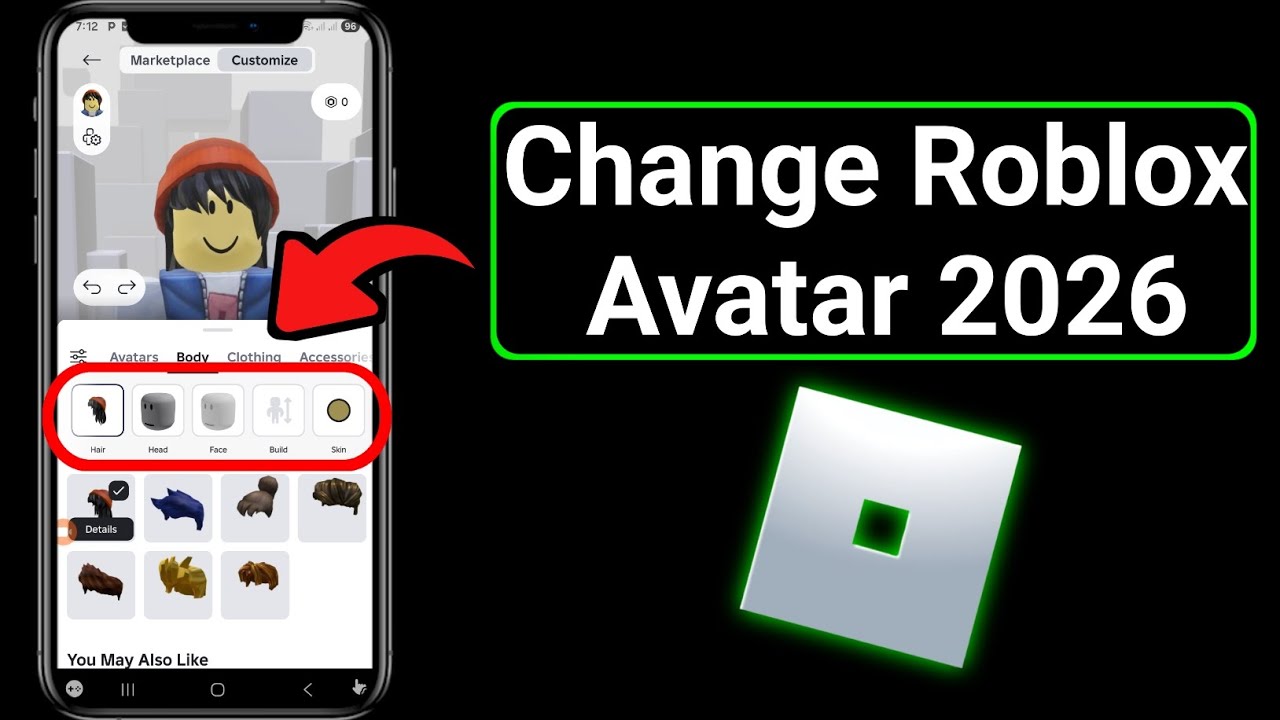


How To Change Location On Roblox Account 2026 Easy Way YouTube . How To Switch Accounts On Roblox Quick Easy YouTube . How To Change Roblox Avatar 2026 YouTube . How To Change Password In Roblox Change Roblox Password 2026 Full . How To Create A Roblox Account In 2026 What You Need Roblox Login How To Create A New Account



How To Change Roblox Password And Keep Your Account Secure Change Roblox Password . How To Change Account Location On Roblox 2026 Guide How To Change Account Location On Roblox.webp. Lost Roblox Password How To Find Yours In 2026 . HOW TO CHANGE ACCOUNT LOCATION IN ROBLOX 2026 BEST METHOD YouTube . How To Delete Your Roblox Account Permanently In 2026 Full Guide Roblox Delete.webp


How To Switch Roblox Accounts On PC Mobile YouTube . How To Add A Roblox Card To Your Account In 2026 . Unlinking Roblox Your PS4 Account Guide . How To Change Language On Roblox Studio Account YouTube . How To Change Password In Roblox YouTube




How To Reset And Change Your Roblox Password 7fa517f7 638c 4bf2 B2ba. Roblox Username Change How To Update Your ID Easily How To Change Roblox Username . Roblox Age Change Under 13 Guide . How To Change Roblox Username For Free 2026 UPDATED YouTube . Roblox Name Change Is Free Possible



Want A Free Roblox Account What You Need To Know Now . Change Your Roblox Location Lets See How . Account Still Terminated After Platform . How To Change Your Roblox Password Quick Guide Tech How 2 Change Password. How To Reset Your Roblox Password In 8 Easy Steps Guide Robfp7 1536x791


How To Change Account Age Platform Usage Support Developer Forum 2 446x500 . How To Create A Roblox Account In 2026 What You Need Roblox Studio Home . How To Change Account In Roblox YouTube Hq2 . 2026 Guide To Change Your Roblox Account Location Quick Tips F 1770691379 390.webp. Account Settings For Roblox At Gail Ervin Blog


How To Change Account Location On Roblox 2026 YouTube . How To Change Roblox Username Easy Guide YouTube . Roblox Account ChangeUp Your Easy Guide Change Roblox Account Age . Reinstated 12 16 2025 Banned AGAIN 01 14 2026 Account Hacked 2 1023x391 . How To Change Your Roblox Password YouTube